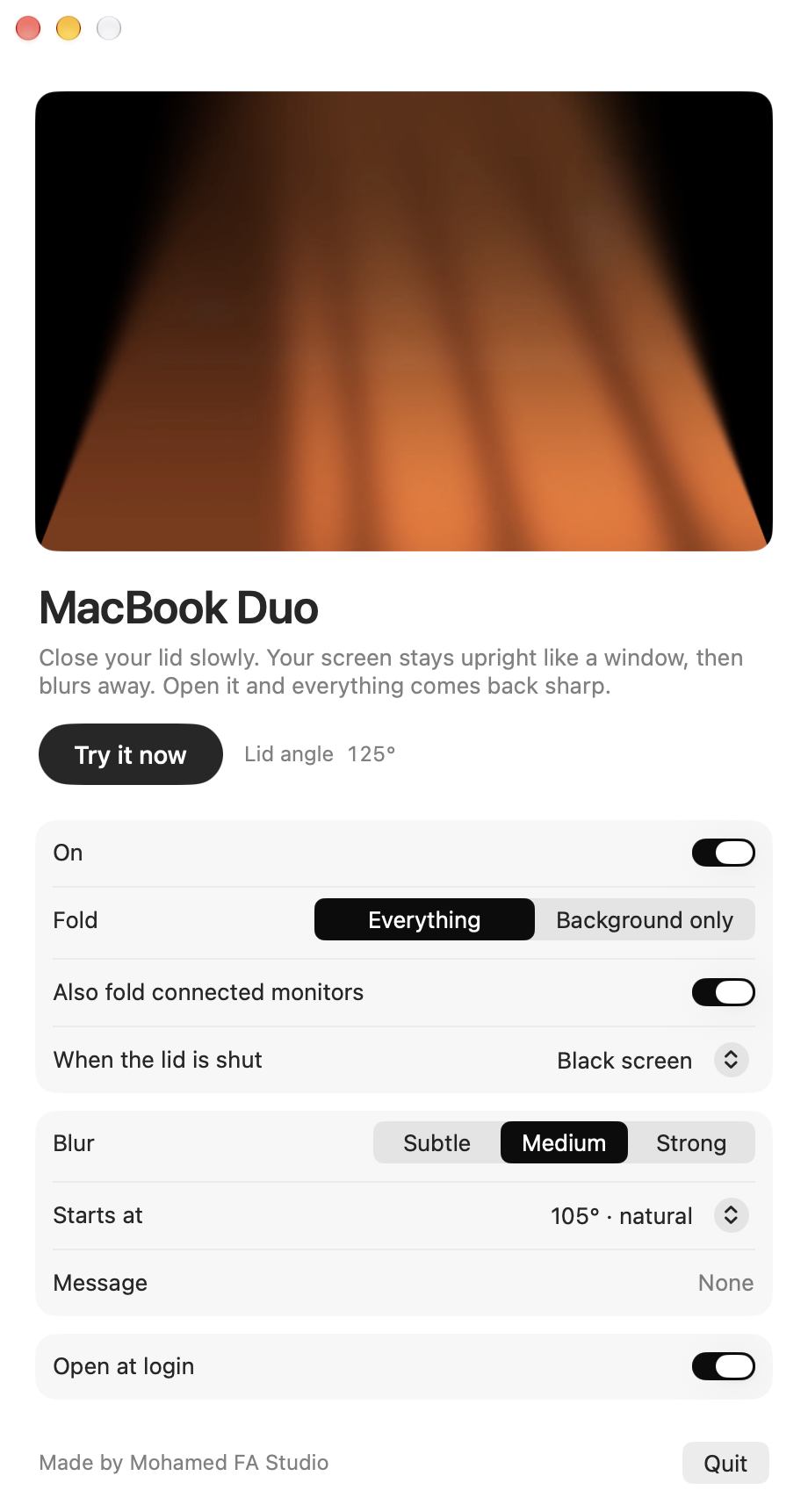
First
Open MacBook Duo
The window opens with a preview and plays the fold once, so you see it straight away. Press Try it now any time.
 MacBook Duo
Download
Close your lid. Your screen stays upright like a window, then blurs away.
Free · For MacBooks on macOS 13 or later
Drawn live with MacBook Duo’s own maths. Drag to turn it.
Scroll to close the lid. The screen below is exactly what MacBook Duo draws at that angle.
Above 105°, nothing changes. Your Mac is exactly as you left it.
MacBook Duo reads the lid sensor sixty times a second and starts the fold. You choose the angle.
The lid comes down, but your picture only tips back gently, like a window. Black comes in at the edges.
From the hinge up: the bottom stays sharp while the top softens and darkens.
Everything returns sharp, exactly as it was. Nothing is saved.
Drag the lid or let it play. Change any setting and watch it happen on the MacBook and on a connected display.
Your browser can’t show the 3D preview. Every option is described below.
Everything folds: your apps, the menu bar and the Dock tip away with the wallpaper. macOS asks for Screen Recording once.
The app’s own preview: the screen closes, holds and opens without touching the lid. In the app it’s ⌘T.
What tips away as the lid closes.
How soft the top of the screen gets.
The lid angle where the fold begins. It’s marked on the lid slider.
A few words that fade in as the screen folds. Leave it empty for none.
Fold every connected display with your lid, not just the MacBook.
What the monitor shows once the MacBook is closed.
Three steps. After that, you just close your lid.
The window opens with a preview and plays the fold once, so you see it straight away. Press Try it now any time.
Past 105°, your screen stops tilting with the lid. It stays upright like a window and blurs from the hinge up. Open it and it all comes back sharp.
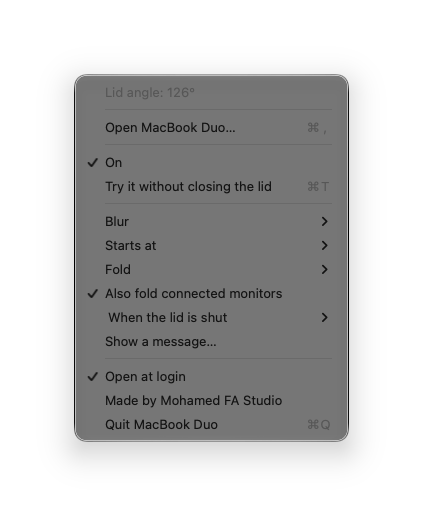
A small laptop icon sits next to Wi-Fi. Turn it on or off, try the fold with ⌘T, or change any option.
To fold your apps, macOS asks for Screen Recording. MacBook Duo only uses it to draw the fold on your own screen, while the lid closes.
MacBooks with Apple silicon that have a lid angle sensor, running macOS 13 or later. If your Mac has no sensor, the app tells you, and you can still play the fold with Try it now.
Open the file you download and drag MacBook Duo onto Applications. If your Mac says it can’t check the app, go to System Settings, Privacy & Security, and click Open Anyway. You only do this once.
To fold your apps, it has to see your screen. It only looks while the lid is closing, and nothing is saved or sent anywhere. Choose Background only if you’d rather not allow it.
Yes. Turn on Also fold connected monitors, then choose what the monitor shows once the lid is shut: Open your MacBook, a black screen, or your normal screen.
No. It checks the lid angle quietly and only starts drawing when the lid starts to close.
Yes. MacBook Duo never goes online: no account, no ads, no analytics, and it saves nothing. Screen Recording is only used to draw the fold on your own screen while the lid closes, and Background only needs no permission at all. Quit it any time from the menu bar.
Yes. No subscription, no trial and no in-app purchases. Follow our two Instagram accounts and the download unlocks. It’s a free resource from Mohamed FA Studio.
Quit from the menu bar icon or the window, then drag MacBook Duo from Applications to the Trash.